§ Badges
Show you're continuously audited.
If your PCIBye workspace is in good standing, you're welcome to display one of these badges on your site, footer, status page, or vendor questionnaire. SVG, so they stay crisp. Light and dark variants. Pick a form, copy a snippet.
Free for active subscribers. Don't use these if you aren't actually using PCIBye — we audit referrers periodically.
§ Inline bar
Inline bar
Horizontal lockup for site footers and trust strips. Reads at a glance next to your other compliance marks.
Site footer · marketing pages · about


https://zyt5qjs8.vibecode.cloud/api/badges/bar-light.svghttps://zyt5qjs8.vibecode.cloud/api/badges/bar-dark.svg<a href="https://zyt5qjs8.vibecode.cloud/?utm_source=badge&utm_medium=embed&utm_campaign=bar-light" target="_blank" rel="noopener">
<img src="https://zyt5qjs8.vibecode.cloud/api/badges/bar-light.svg" alt="Audited by PCIBye — PCI DSS v4.0" />
</a>[](https://zyt5qjs8.vibecode.cloud/?utm_source=badge&utm_medium=embed&utm_campaign=bar-md)§ Round seal
Round seal
Notary-style medallion. Goes well in a sidebar, on a trust page, or pinned to a status dashboard.
Trust pages · status pages · sidebars
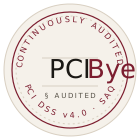
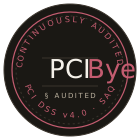
https://zyt5qjs8.vibecode.cloud/api/badges/seal-light.svghttps://zyt5qjs8.vibecode.cloud/api/badges/seal-dark.svg<a href="https://zyt5qjs8.vibecode.cloud/?utm_source=badge&utm_medium=embed&utm_campaign=seal-light" target="_blank" rel="noopener">
<img src="https://zyt5qjs8.vibecode.cloud/api/badges/seal-light.svg" alt="Audited by PCIBye — PCI DSS v4.0" />
</a>[](https://zyt5qjs8.vibecode.cloud/?utm_source=badge&utm_medium=embed&utm_campaign=seal-md)§ Dossier stamp
Dossier stamp
Square ink-stamp variant. Use where you want the badge to feel deliberate and document-like.
PDF reports · about pages · investor decks
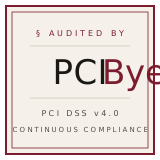
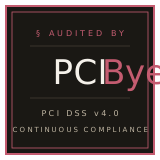
https://zyt5qjs8.vibecode.cloud/api/badges/stamp-light.svghttps://zyt5qjs8.vibecode.cloud/api/badges/stamp-dark.svg<a href="https://zyt5qjs8.vibecode.cloud/?utm_source=badge&utm_medium=embed&utm_campaign=stamp-light" target="_blank" rel="noopener">
<img src="https://zyt5qjs8.vibecode.cloud/api/badges/stamp-light.svg" alt="Audited by PCIBye — PCI DSS v4.0" />
</a>[](https://zyt5qjs8.vibecode.cloud/?utm_source=badge&utm_medium=embed&utm_campaign=stamp-md)§ Mini link
Mini link
Tiny single-line credit. For footer fine-print rows next to copyright and version numbers.
Footer fine-print · CLI banners


https://zyt5qjs8.vibecode.cloud/api/badges/mini-light.svghttps://zyt5qjs8.vibecode.cloud/api/badges/mini-dark.svg<a href="https://zyt5qjs8.vibecode.cloud/?utm_source=badge&utm_medium=embed&utm_campaign=mini-light" target="_blank" rel="noopener">
<img src="https://zyt5qjs8.vibecode.cloud/api/badges/mini-light.svg" alt="Audited by PCIBye — PCI DSS v4.0" />
</a>[](https://zyt5qjs8.vibecode.cloud/?utm_source=badge&utm_medium=embed&utm_campaign=mini-md)§ One-line JS embed
Drop in one script tag. Pick variants per-spot.
For sites that pull a lot of badges in different shapes, or for CMSes where pasting an <img> is awkward, use the embed script. Mark each placement with a data-pcibye-badgeattribute and the script will render the right SVG.
<span data-pcibye-badge="bar-light"></span>
<span data-pcibye-badge="seal-dark"></span>

<script async src="https://zyt5qjs8.vibecode.cloud/api/badges/embed.js"></script>
Valid data-pcibye-badge values: bar-light · bar-dark · seal-light · seal-dark · stamp-light · stamp-dark · mini-light · mini-dark
§ Plain text
Or just a credit line.
For text-only contexts — release notes, terminal banners, plain-text emails — a simple credit line is fine.
<a href="https://zyt5qjs8.vibecode.cloud/?utm_source=badge&utm_medium=text">Audited by PCIBye.com</a>[Audited by PCIBye](https://zyt5qjs8.vibecode.cloud/?utm_source=badge&utm_medium=text)Audited by PCIBye — https://zyt5qjs8.vibecode.cloud§ Brand notes
A few small rules.
▸Don't recolor.
The oxblood is part of the mark. Light or dark variant is fine — pick the one with better contrast against your background. Don't restyle the SVG.
▸Don't claim more than the badge says.
The badge means "continuously audited via PCIBye." It is not an attestation of compliance, a QSA stamp, or a passing SAQ on its own. Your auditor signs your dossier; the badge points to it.
▸Link it somewhere useful.
A link to your own trust/security page works. So does linking to PCIBye.com. Don't point the badge at unrelated content.
▸Stop using it if you stop using us.
If your subscription lapses or your workspace falls out of good standing, please remove the badge. We do periodic referrer checks.